Hello all,
I'm a new user of Silex and a novice website builder.
Not sure what the feature is called but the drop-down menu to select desktop vs mobile device view, display mode? Is there a way to change the width of each view? For example, I'm using the Bold Folio template and switching it to mobile portrait mode the competencies section shows internal divs larger than a parent div. It doesn't look correct to me. I've been trying to fix it based on another post here but also searching through search engines for a solution. No progress yet and it seems a common problem. But sorry, not my question. If I view through an iPhone simulator it looks fine. The view port on the simulator must be (is) larger than in Silex. It would be nice to adjust the size in Silex so it matches the various modern mobile phone view port sizes. Assuming I'm saying this all correctly.
Here is what I see:
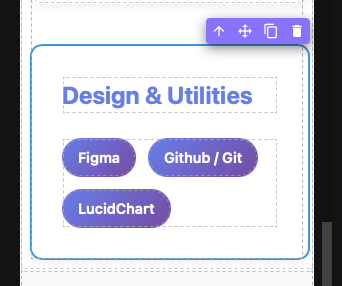
BTW, using Silex online version at https://v3.silex.me. Browser is Safari Version 26.3.1 (21623.2.7.111.2).
Thanks,
Brian